Black Friday rowing machine deals are on: Hydrow, Ergatta, NordicTrack and more. See the deals
Rowing machine review
Concept2 PM5 Monitor, ErgData and the Logbook: What You Get Free
By Sam Watson · Updated 13 November 2026
We earn a commission if you buy through the links on this page, at no extra cost to you.
The question I get most from people buying a Concept2 is "which subscription do I need?" The answer is none. Everything that makes a RowErg more than a machine, the PM5 monitor, Concept2's ErgData app, the online Logbook with its rankings and challenges, is free and stays free. I've rowed with it for years and never paid a cent for software. You can add a paid app if you want classes or games, but you don't have to. Here's what the monitor does, what the free apps add, which paid apps are worth it, and what damper setting to use.
The PM5: plain, accurate, and never needs a password
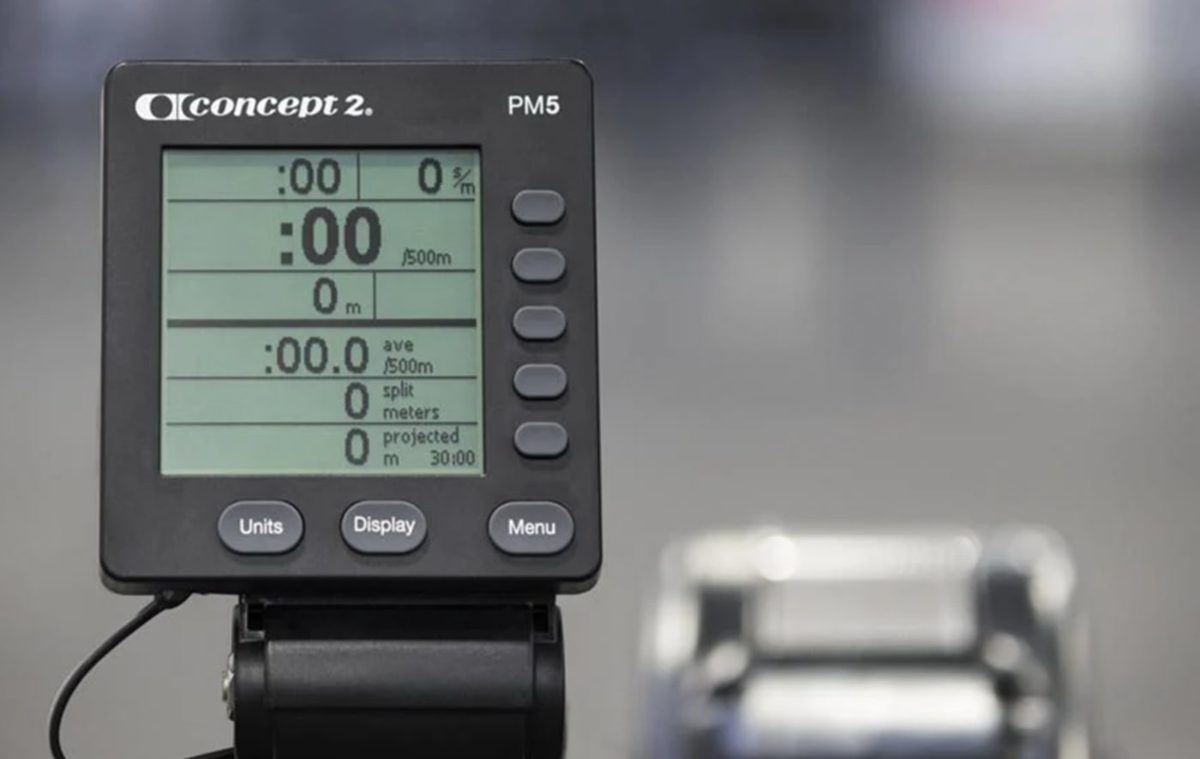
The PM5 is a small grey screen with five buttons down the side, and the first time you see it after a smart rower you'll think it's from 2003. Give it a week. It's accurate (which is the whole point of a Concept2), it runs on two D batteries and partly powers itself from the flywheel, and it never asks you to log in, update or charge anything.
The PM5. The big number in the middle is your pace per 500 meters, the one to watch. Photo: Rogue Fitness.
The five screens. Each button on the right switches to one: All Data, the Force Curve (a graph of each stroke, the best technique coach on the machine), a PaceBoat to race, a Bar Chart and Large Print for when you can't see straight. The number that matters most is your pace per 500 meters, the "split". Learn what yours is on an easy row and on a hard one, and you can read every workout from it.
Workouts. Just Row starts the moment you pull. Beyond that you can set a distance, a time or a calorie target, build intervals (up to 50 of them, by time, distance or calories, with rests), or pick one of the five standard pieces: 2,000 meters, 5,000, 10,000, 30 minutes, or 500 meters with a minute's rest. It stores more than 1,000 workouts.
The games. There's a Fish Game, Darts and Target Training, all based on holding your pace or power. They're surprisingly good for teaching kids, and for teaching yourself to row at an even pace.
Heart rate. The PM5 connects to Bluetooth and ANT+ heart rate straps and shows your heart rate on any screen. Concept2 sells the Polar Verity armband ($104.95), the Polar H10 strap ($105) and the Garmin HRM 200 ($79.99), but most straps you already own will work.
ErgData: the free app that makes it better
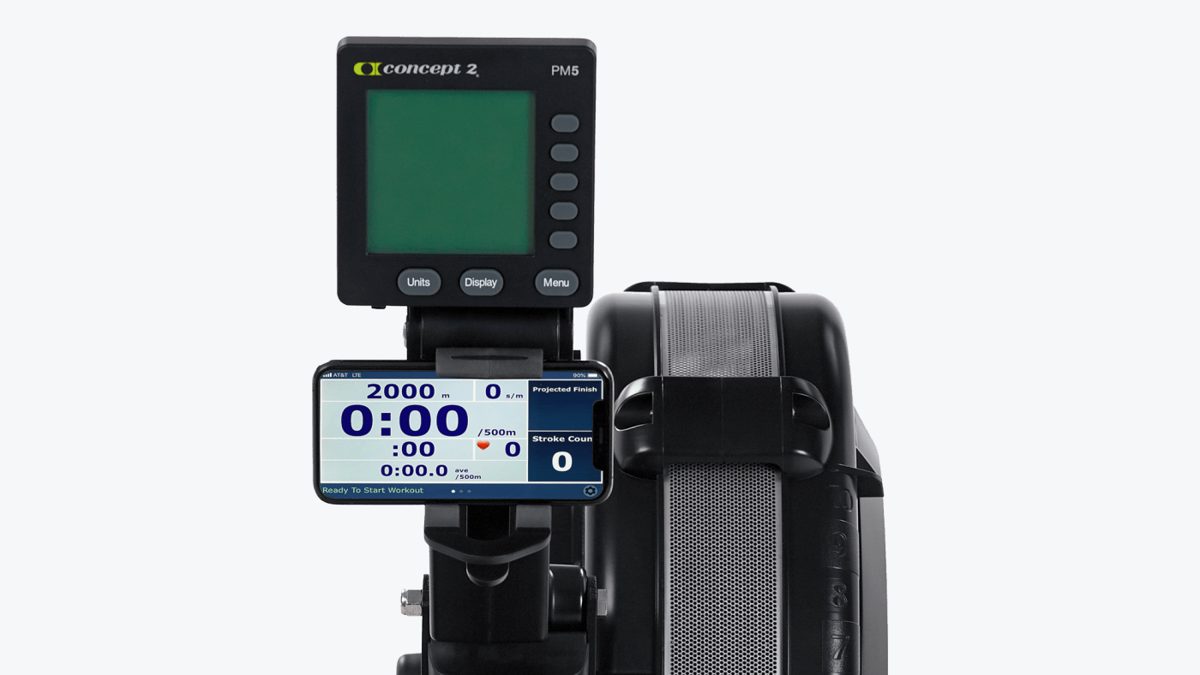
ErgData is Concept2's own app for iPhone and Android, and it's free. Put your phone in the holder under the monitor, open the app, and it connects to the PM5 over Bluetooth. It works only with the PM5, not the older monitors.
The device holder comes with every new RowErg and takes anything from a small phone to a big tablet. Photo: Rogue Fitness.
What it adds. Every row saves to your online Logbook automatically, and from there to Strava or Garmin Connect if you connect them. It makes programming complicated interval workouts easy and saves your favourites. It shows your workout in bigger, clearer layouts, with a pace graph and a virtual boat on a course (the Real Time Loop). Afterwards you get a breakdown of every interval, your stroke graphs and your heart rate zones.
My favourite part: the Workout of the Day. One tap and today's session loads, with a leaderboard of everyone else who rowed it. On the days I have no plan, that's my plan, and it's the nearest thing a Concept2 has to a class.
The Logbook: rankings, challenges and a reason to keep going
The online Logbook is where your rows live, and it's free for every Concept2 owner. It's the part that turned rowing into a habit for me, because it gives you something to aim at.
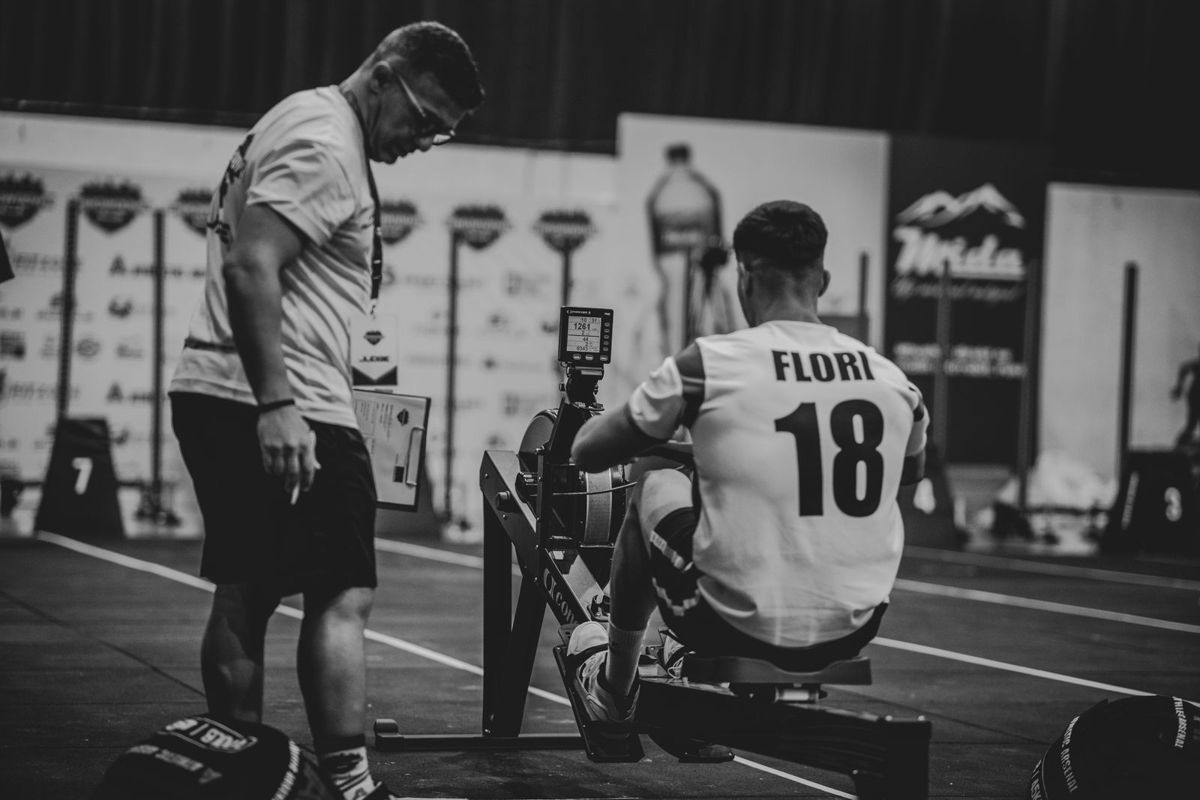
A judge watches the monitor at a competition. The same numbers count in the Logbook rankings. Photo: Ardit Mbrati, Pexels.
World rankings. Each season (1 May to 30 April) you can rank on standard distances and times, from 100 meters to a marathon, 1 minute to 60, against people your age, gender and weight. Pieces from ErgData count as verified automatically. You don't have to be fast to enjoy it; seeing yourself move up the list for your age group is motivation enough.
A real Holiday Challenge certificate: 100,000 meters between Thanksgiving and Christmas. Photo: Remko van Dokkum, CC BY 2.0.
The Million Meter Club. Certificates at 1, 5, 10 million meters and beyond. It sounds silly until you're 40,000 meters short and find yourself rowing on a Sunday.
Challenges. Concept2 runs them all year, and you don't sign up; logged meters just count. The big one is the Holiday Challenge: row 100,000 meters (or 200,000) between American Thanksgiving and Christmas Eve. This year it runs from 26 November to 24 December, and more than 15,000 people finished the 100k last year. There are team challenges too, in January, March to April and September to October.
Paid apps, if you want classes or games
The PM5 is an open platform: Concept2 lists more than 40 apps that connect to it. None of them is needed, but if you miss having a coach or a screen to look at, this is how you get one without buying a smart rower. Prices as we found them on 13 November 2026:
App
What it is
Price
ErgData
Concept2's own: Logbook sync, Workout of the Day, virtual course
Free
ErgZone
Workout builder and training plans, results verified in the Logbook
Free; Premium $4.99 a month
Hydrow (Digital Basic)
Hydrow's filmed, coached rows on your Concept2 (iPhone or iPad, PM5 only)
Hydrow lists $19.99 a month; the App Store showed $29.99
Aviron
Games, races and programs
$19.95 a month
EXR
Rowing through virtual worlds, on a phone, tablet, PC or Apple TV
14-day trial, then €9.95 a month
Kinomap
Rowing along real filmed routes
Paid, with a free trial
If you're curious about Hydrow, its app on a Concept2 is a cheap way to find out whether you like coached classes before spending $2,000 on the machine. Our Hydrow membership guide covers what it's like. Zwift, despite what you'll read, lists the Concept2 BikeErg but not the rower.
Damper setting and drag factor: what number to use
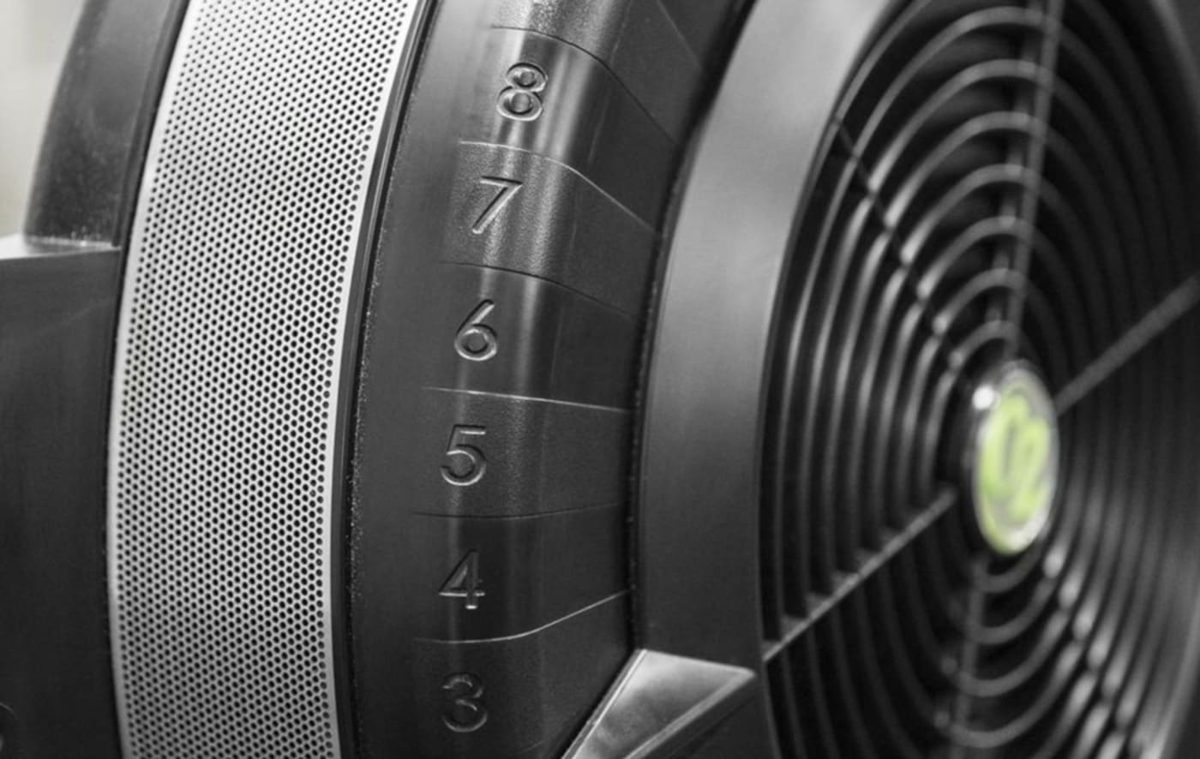
The lever on the side of the flywheel, numbered 1 to 10, is the damper, and it's the most misunderstood thing on the machine. It isn't a difficulty setting. It's closer to the gears on a bike: a high setting feels like a heavy, slow boat, a low one like a light, fast racing shell. How hard the workout is depends on how hard you pull, whatever the number.
The damper. Start at 3 to 5. Photo: Rogue Fitness.
What Concept2 recommends: start at 3 to 5. That's where I row nearly everything. Higher settings make each stroke more of a strength effort and tire your back faster, which is why everybody who cranks it to 10 on day one (I did) ends up sore.
Drag factor is the number serious rowers use instead. It measures how quickly the flywheel slows down between strokes, which depends on the damper, but also on the temperature, the altitude and how much dust is in the flywheel housing. That's why a 5 on one machine can feel different from a 5 on another. To see it on the PM5, go to More Options, then Display Drag Factor, and take a few strokes. On a new RowErg at sea level, damper 1 gives about 90 and damper 10 about 200 or more.
Concept2 doesn't publish an official target, but when it asked Olympic rowers what they use, the answers were mostly between about 110 and 140. If you want to compare your rows fairly over time, pick a drag factor in that range that feels comfortable and set it the same way every session.
Older monitors: PM3 and PM4
If you're buying a used Concept2 with an older monitor, don't worry too much. Concept2 says a working older monitor doesn't need replacing, and its results are just as comparable. The catch is apps: the PM3 and PM4 don't work with ErgData, and connecting them to other apps can need a cable. If you want the apps, a PM5 retrofit kit for a Model D or E is $160 ($185 with a device holder for older machines). Our used buying guide explains which monitor came with which model.
Is it enough without a subscription?
For me, yes, and I've rowed both ways. The PM5, ErgData and the Logbook give you everything you need to train: honest numbers, workouts, a log of everything you've done and a reason to keep coming back. What they don't give you is somebody telling you what to do and cheering you on. If that's what gets you rowing, add a paid app for $5 to $30 a month, or look at a Hydrow. If you'd rather set your own goals, the free stack is all you'll ever need.
Everything here comes free with it
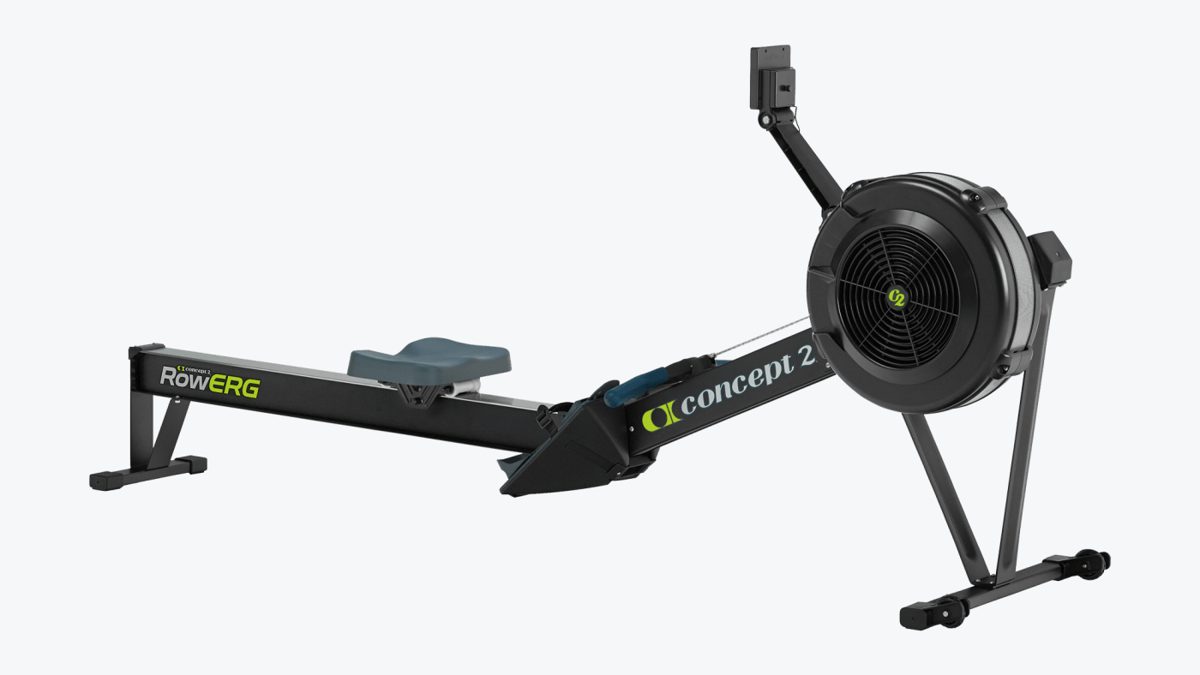
Concept2 RowErg
$990standard legs at Concept2 and Rogue; tall legs $1,155. Concept2 charges $55 shipping ($85 tall legs) to the lower 48
Price checked on 13 November 2026
Best for: Anyone who wants a machine to train on for years, with numbers that mean the same on every RowErg in the world.
The rower gyms, clubs and CrossFit boxes use, so your times compare with everyone else's
No subscription: the PM5 monitor, the ErgData app and the online Logbook are free
Splits into two pieces without tools, and rolls away on wheels
Takes users up to 500 lb and inseams up to 38 inches
Resistance
Air (steel flywheel, damper 1 to 10)
Footprint in use
8 x 2 ft (needs 9 x 4 ft of room)
Storage
Splits in two without tools, on wheels; 25 x 33 x 54 in stored (27 x 47 x 54 in with tall legs)
Machine weight
57 lb (68 lb with tall legs)
Max user weight
500 lb (300 lb under the EU EN 20957-7 test)
Fits rowers
Inseams up to 38 in; seat 14 in off the floor (20 in with tall legs)
Monitor
PM5, Bluetooth and ANT+, works with ErgData and 40+ other apps
Membership
None needed
Warranty
5 years frame; 2 years all other parts and the monitor, wear included
What we like
Owners say it is built to last: decades-old machines are still rowing, and used ones sell for most of the new price
Free app and online logbook, no monthly fee
Cheap, easy parts if anything wears
Watch out for
Air resistance is the noisiest kind: the fan whooshes with every stroke
No built-in screen or classes: classes come from apps on your own phone or tablet
The seat is hard on long rows, the most common owner complaint (a $12 pad fixes it)
No. The PM5 monitor, the ErgData app and the online Logbook are all free. Paid apps for classes and games are optional.
Does ErgData work with the PM3 or PM4?
No, ErgData connects only to the PM5. Older monitors still work and their results count, but some apps need a cable, and a PM5 retrofit kit costs $160 to $185.
What damper setting should I use?
Concept2 recommends 3 to 5 for most rowing. The damper changes how each stroke feels, not how hard the workout is; that's down to how hard you pull.
What is a good drag factor on a Concept2?
Concept2 doesn't set one. A new rower runs from about 90 at damper 1 to 200 or more at 10, and the Olympic rowers Concept2 asked mostly used about 110 to 140.
Can I use Hydrow classes on a Concept2?
Yes, with Hydrow's Digital Basic plan on an iPhone or iPad and a PM5 monitor.
When is the Concept2 Holiday Challenge?
From American Thanksgiving to Christmas Eve: in 2026, 26 November to 24 December. Row 100,000 or 200,000 meters; logged meters count automatically.