Black Friday rowing machine deals are on: Hydrow, Ergatta, NordicTrack and more. See the deals
Rowing machine review
WaterRower Monitors and Apps: S4, PowerPulley, CityRow and What's Free
By Sam Watson · Updated 17 November 2026
We earn a commission if you buy through the links on this page, at no extra cost to you.
The monitor is the part of a WaterRower everyone apologizes for, me included. Next to the big screens on smart rowers, the S4 looks like a calculator from the 1990s. But after rowing with it, I'd say most people should keep it and add their phone, not pay $300 or $500 to replace it. Here's every WaterRower monitor, old and new, what each one shows, which apps work with them and what they cost, and how to get an old WaterRower talking to an app.
Which monitor do you have?
WaterRower has made several monitors over the years, and the one on your machine decides what apps you can use. Here's how to tell, and what each costs if you're buying new.
Monitor
Where you'll find it
Power
Connects to apps?
Cost
S4 Bluetooth
Standard on the Original and Metallic; an LCD on the right-hand side
Four AA batteries
Yes, built in
Included
S4 (no Bluetooth)
Standard on the Lite, and on most Originals from before Bluetooth
Four AA batteries
Only with a ComModule
Included on the Lite
ComModule
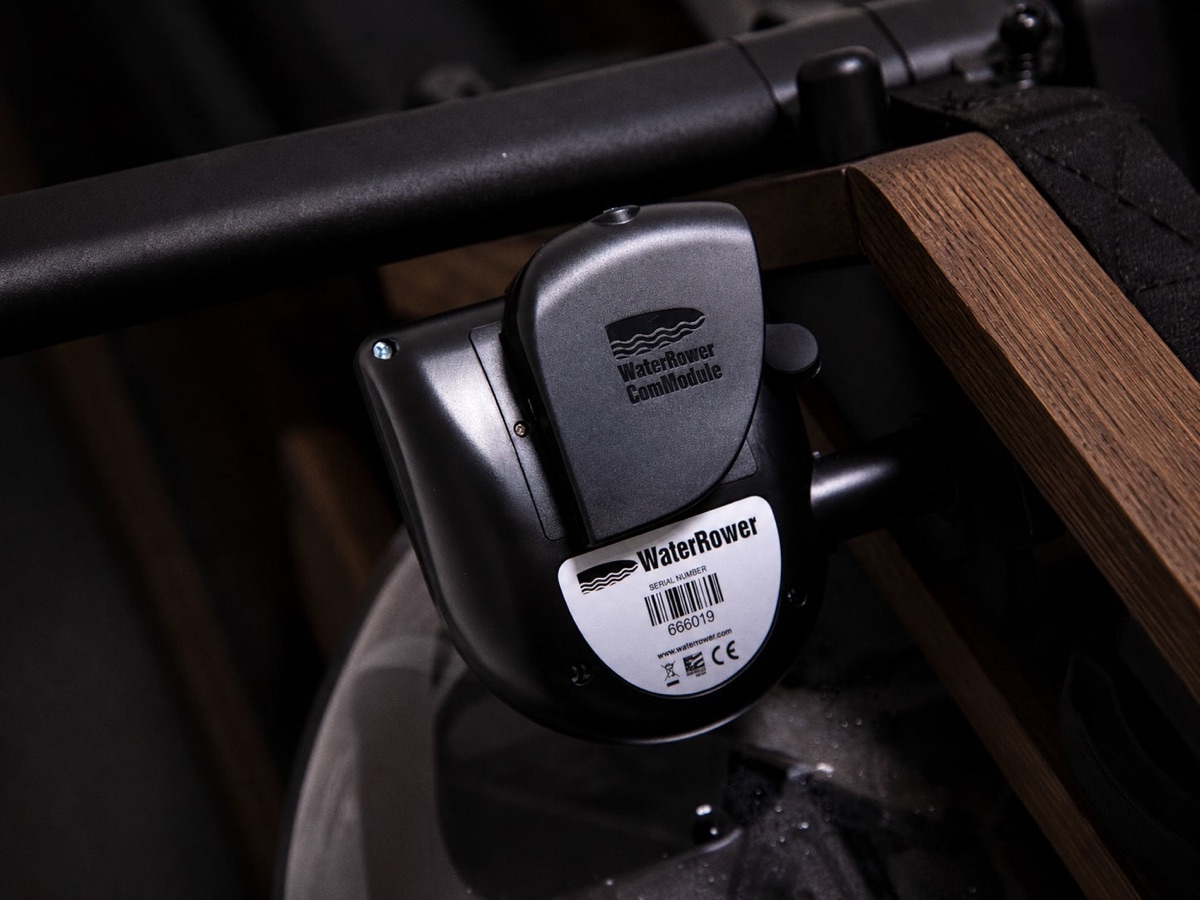
A small box that plugs into the back of a USB S4
Rechargeable
Adds Bluetooth
$100
CR Bluetooth
Standard on the Hybrid; set into the middle of the footboard, backlit
USB-charged pack
Yes, built in
Included
Older A1 monitor
Many A1s before the Hybrid
Not stated
No (later A1 BLE models did)
Used machines only
PowerPulley
A sensor in the pulley at the front; no screen, you use a phone or tablet
Four AA batteries
Yes, app only
+$300 on an Original or Hybrid
CityRow touchscreen
A 19.5-inch screen on a wooden folding arm
Mains plug
Runs CityRow's classes itself
+$500 new, or a $499 to $799 kit
SmartRow
An add-on pulley that measures force, for existing machines
Not stated
Yes, app only
$300 ($350 on the Metallic)
Prices at waterrower.com, 17 November 2026.
The S4: plain, but it does more than it looks
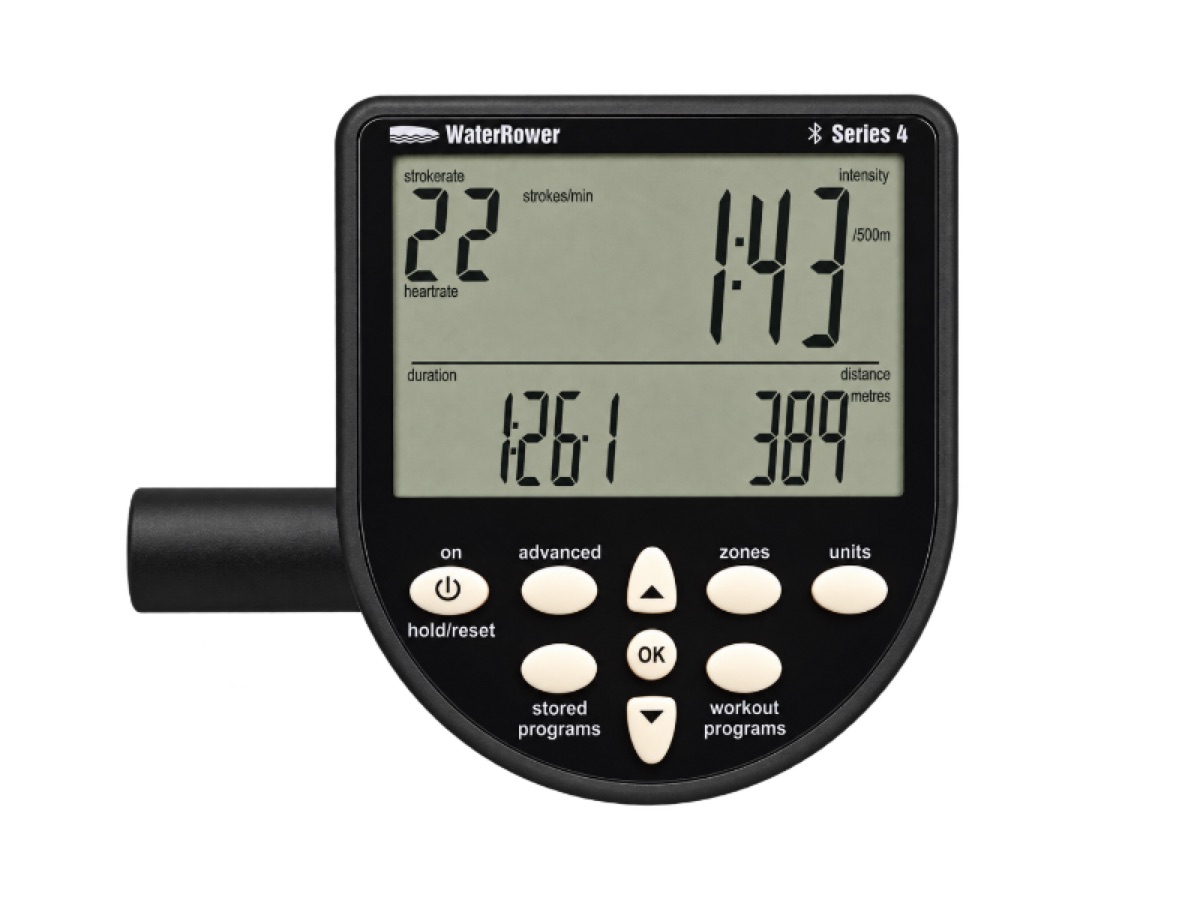
The S4 shows six things at once: stroke rate, heart rate (if you add a heart rate kit), time, intensity, average intensity and distance. Intensity can be your pace per 500 meters, watts, calories per hour or speed, and distance can be meters, miles, strokes or calories. The buttons are labeled, and you can just sit down and row.
The S4 Bluetooth. Stroke rate top left, split top right, time and distance below. Photo: WaterRower.
Dig into the buttons and there's more than most owners realize. You can program distance or time workouts and intervals (up to nine), set zones for heart rate, pace or stroke rate so it beeps when you drift out of them, and use the advanced programs: a 2k pacer, projected finish times, your drive-to-recovery ratio and time in each heart rate zone. It stores your last nine workouts, though changing the batteries wipes them.
The catch with the watts. The S4 works out your power from the tank volume you tell it (Advanced Program 8 in the manual). Set it to the 17 liters you actually filled to, or your watts will be off. Even set correctly, WaterRower numbers read faster than a Concept2's, so compare yourself with yourself, not with friends on a Concept2. If you want numbers that line up with gym rowers, that's a reason to buy a Concept2.
The complaint owners make most about the S4 is simply that it's basic, and less detailed than a Concept2's monitor. That's fair. It's also why I'd pair it with a phone rather than replace it.
The CR Bluetooth monitor on the Hybrid
The Hybrid has its own monitor, set into the middle of the footboard. It's backlit, which the S4 isn't, and runs on a pack you charge over USB. It shows time, distance, stroke rate and your 500-meter pace, and you can set time or distance intervals. WaterRower doesn't list zones, watts or advanced programs for it, so it does less on its own than the S4. With the app running on your phone, you won't miss them.
WaterRower Connect: the free app
This is what makes the S4 good enough. WaterRower Connect is free on iPhone and Android, pairs with the S4 Bluetooth, the CR Bluetooth, an S4 with a ComModule, and the PowerPulley, and turns your phone into a proper screen. Put your phone in a holder on the machine and you get your time, distance, split, stroke rate, watts and heart rate live, all large enough to read mid-row.
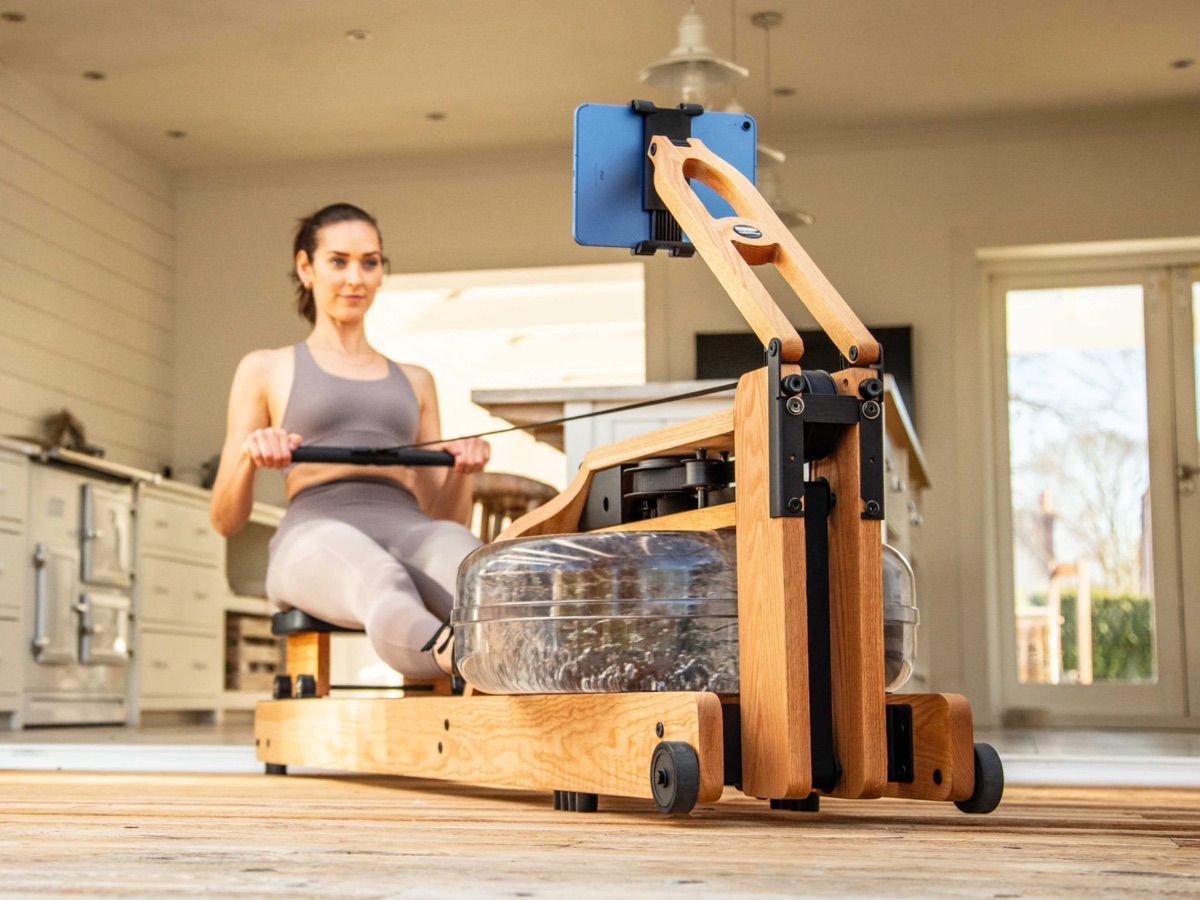
A tablet on WaterRower's phone and tablet arm turns any WaterRower into a big-screen rower. Photo: WaterRower.
The free version has distance, time and interval workouts, virtual races against other WaterRower owners on global leaderboards, technique lessons and your workout history, and it sends your sessions to Strava and Apple Health. It takes heart rate from a Bluetooth chest strap or an Apple Watch. It's rated 4.3 stars from 977 ratings on the US App Store; the complaints in its reviews are mostly about bugs after updates and the odd pairing problem.
Premium adds instructor-led classes, scenic rows, more detailed screens and training plans. On the US App Store it costs $49.99 a year (a $59.99 yearly option and introductory offers are also listed). That's cheap next to any smart rower's membership.
Your phone needs somewhere to sit. WaterRower's phone and tablet arm costs $100 to $165 depending on the wood, folds flat, and can stay on when the rower stands up.
Other apps that work with a WaterRower
Any WaterRower with Bluetooth (an S4 Bluetooth, a CR Bluetooth, an S4 with a ComModule or a PowerPulley) works with these apps, according to WaterRower's own list. Most are paid; check each app's price before you subscribe.
App
What you get
Good for
CityRow
Live and on-demand rowing classes, plus strength, HIIT and yoga. On the touchscreen: $29 a month or $299 a year
Coached classes, the closest thing to a Hydrow
Peloton
Peloton's app can show data from a Bluetooth WaterRower in its rowing classes
Peloton members
Apple Fitness+
Rowing workouts; your data comes from your Apple Watch, not the rower
Virtual rows, scenery, coaching and games (Holofit is VR); each has its own price
Variety on long rows
Zwift? Not directly. Zwift has no rowing mode for WaterRowers; people get round it with third-party "bridge" apps that pass your rowing data to Zwift as if you were cycling, and how well that works changes with each app's updates. I wouldn't buy a WaterRower for Zwift.
Ergatta? WaterRower builds the Ergatta and lists Ergatta among its compatible apps, but the games need a compatible touchscreen, not your phone; quite a few used WaterRowers are advertised with an Ergatta screen fitted. If games are what you want, see Ergatta vs WaterRower.
PowerPulley or CityRow touchscreen?
WaterRower offers both when you order an Original or a Hybrid, and they solve different problems.
The PowerPulley (+$300) replaces the pulley at the front with a sensor that measures the force of every stroke and draws your power curve, individually calibrated at the factory. It has no screen: you see everything in the app on your phone or tablet, and a phone and tablet arm is included. It's for people who want better data, not classes.
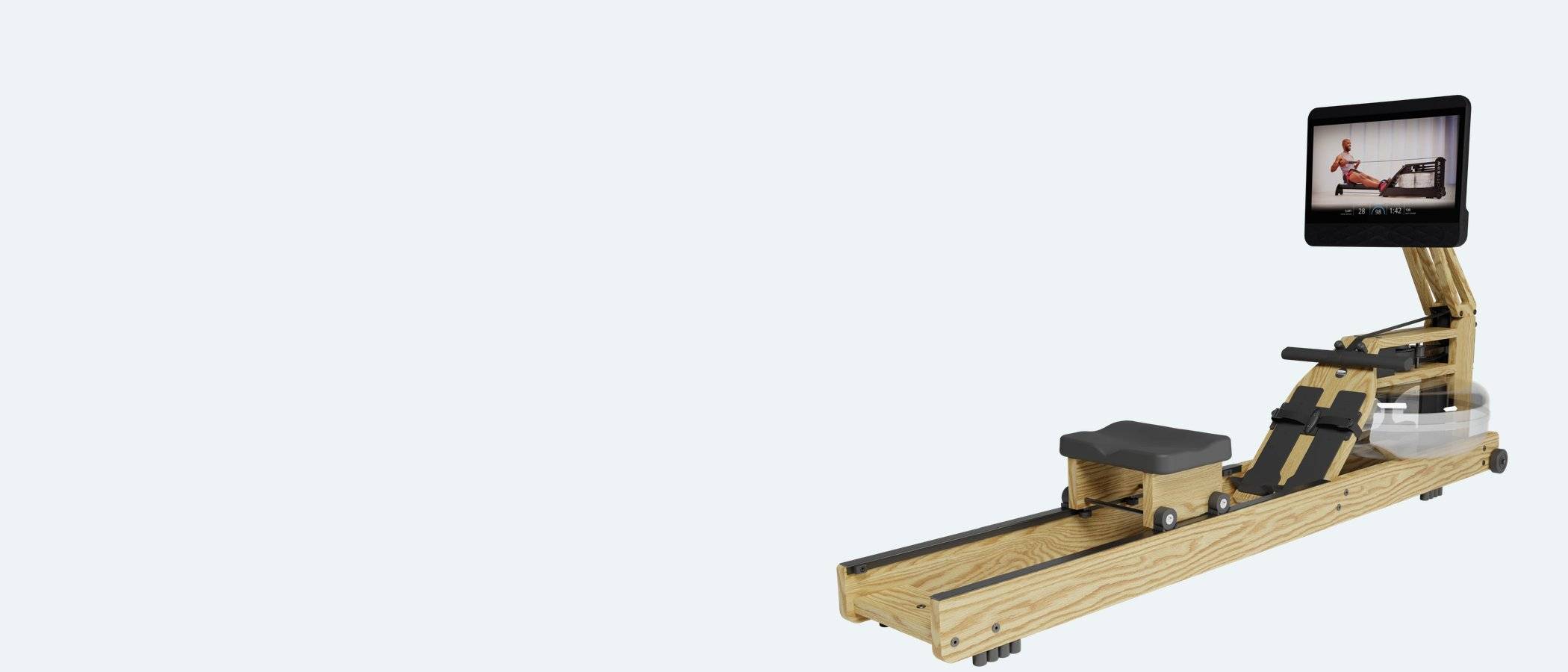
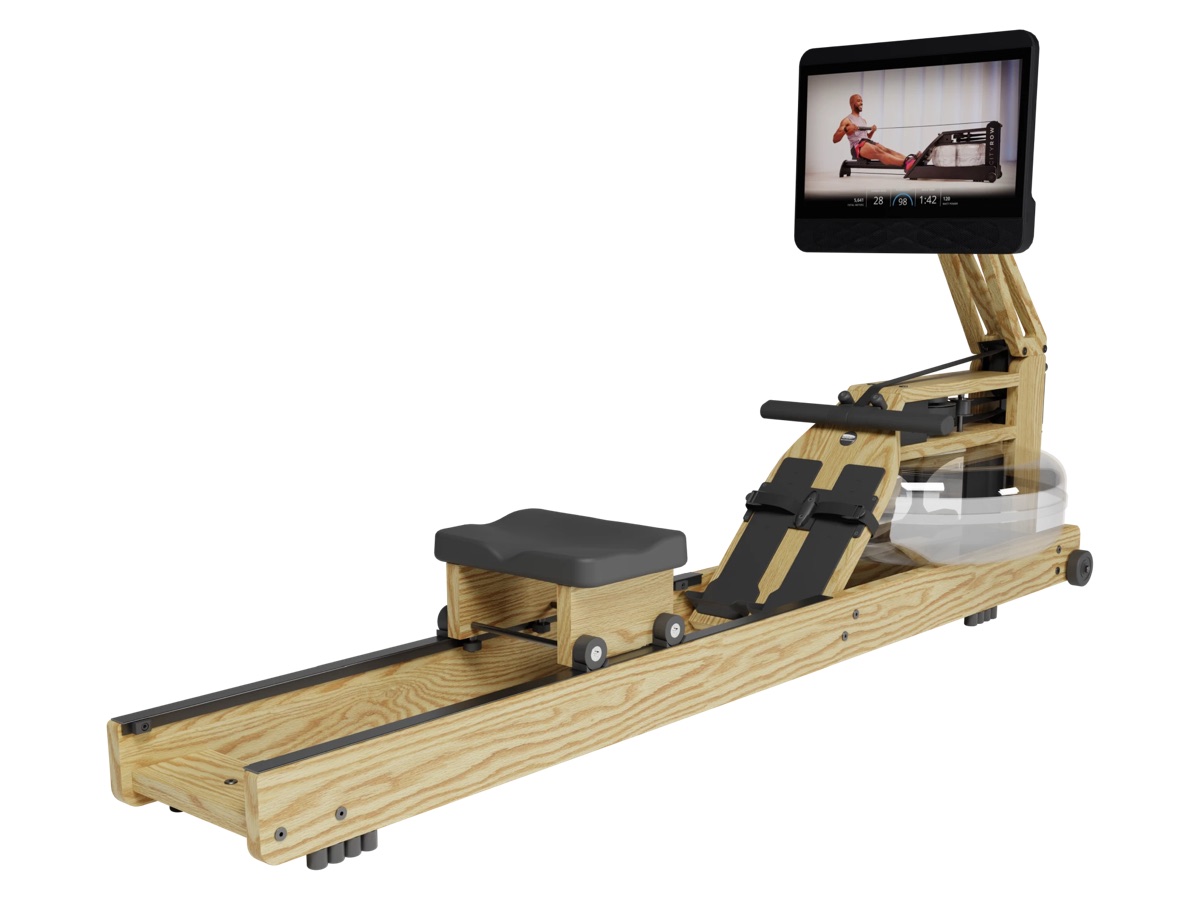
The CityRow touchscreen (+$500) is a 19.5-inch screen with speakers on a wooden arm that folds down so the rower still stands up. It runs CityRow's classes, live and on demand, for $29 a month or $299 a year; without the subscription you get Just Row and your history. It needs Wi-Fi and a plug. Its electronics have a one-year warranty, not the three years on the rest of the parts.
The Original with the CityRow touchscreen. Photo: WaterRower.
My advice: start with the S4 Bluetooth and the free app. You can add the touchscreen later as a kit ($499 in oak or Vintage, up to $799 in walnut), so there's no need to pay for classes before you know you want them. If you know from day one that you'll only row with a coach, a Hydrow does classes better.
Heart rate
Two ways. WaterRower's ANT+ heart rate kit ($100) puts a receiver inside the S4 and gives you a chest strap, so your heart rate shows on the monitor itself and its zone programs work. Or skip the kit and pair a Bluetooth chest strap or an Apple Watch with the WaterRower Connect app, which shows it on your phone.
Upgrading an old WaterRower
Bought a used WaterRower, or had yours for years? Here's how to bring it up to date:
S4 with a USB port, no Bluetooth: add the ComModule ($100). It plugs into the back of the S4 and connects it to WaterRower Connect and the other apps.
Want better data: the SmartRow ($300) is the add-on version of the PowerPulley idea. It measures force and stroke length and works out your power without relying on the water level.
Want classes: the CityRow touchscreen kit fits Bluetooth Originals and Hybrids, from $499. If your S4 has no Bluetooth, ask WaterRower what you need before you order.
Dead monitor: a replacement S4 Bluetooth costs $275 from WaterRower ($175 without Bluetooth).
The ComModule adds Bluetooth to an older S4. Photo: WaterRower.
When it won't work
The S4 shows zeros or won't count: usually the sensor disk inside the tank housing has slipped down, often in shipping. WaterRower's fix is to lift it back up until its teeth line up with the sensor, without it rubbing (if it rubs, it squeaks).
The app can't find it: the S4 Bluetooth is always on; in WaterRower Connect, look for a device whose name starts "S4 BLE". On a Hybrid, check the CR monitor's pack is charged.
Your workouts disappeared: changing the S4's batteries clears its stored workouts. Use the app to keep your history.
Meters missing from CityRow classes: with an S4 and ComModule, CityRow says not to start a time or distance program on the S4 during a class.
Watts look wrong: check the tank volume setting matches the water in the tank.
Is it enough without a subscription?
Yes. A WaterRower with the S4 Bluetooth, your phone and the free WaterRower Connect app has everything you need to train: live numbers, intervals, races and a history that goes to Strava. Pay for Premium or CityRow only if you find you want classes, and you'll still spend far less than on a smart rower.
Comes with the S4 Bluetooth
WaterRower Original
$1,199Oak or Vintage with the S4 Bluetooth monitor at waterrower.com; Shadow and Club $1,299, Cherry $1,499, Walnut $1,699. PowerPulley +$300, CityRow touchscreen +$500, XL rails +$100
Price checked on 17 November 2026
Best for: A living room: it looks like furniture, sounds like water and stands on end in a corner.
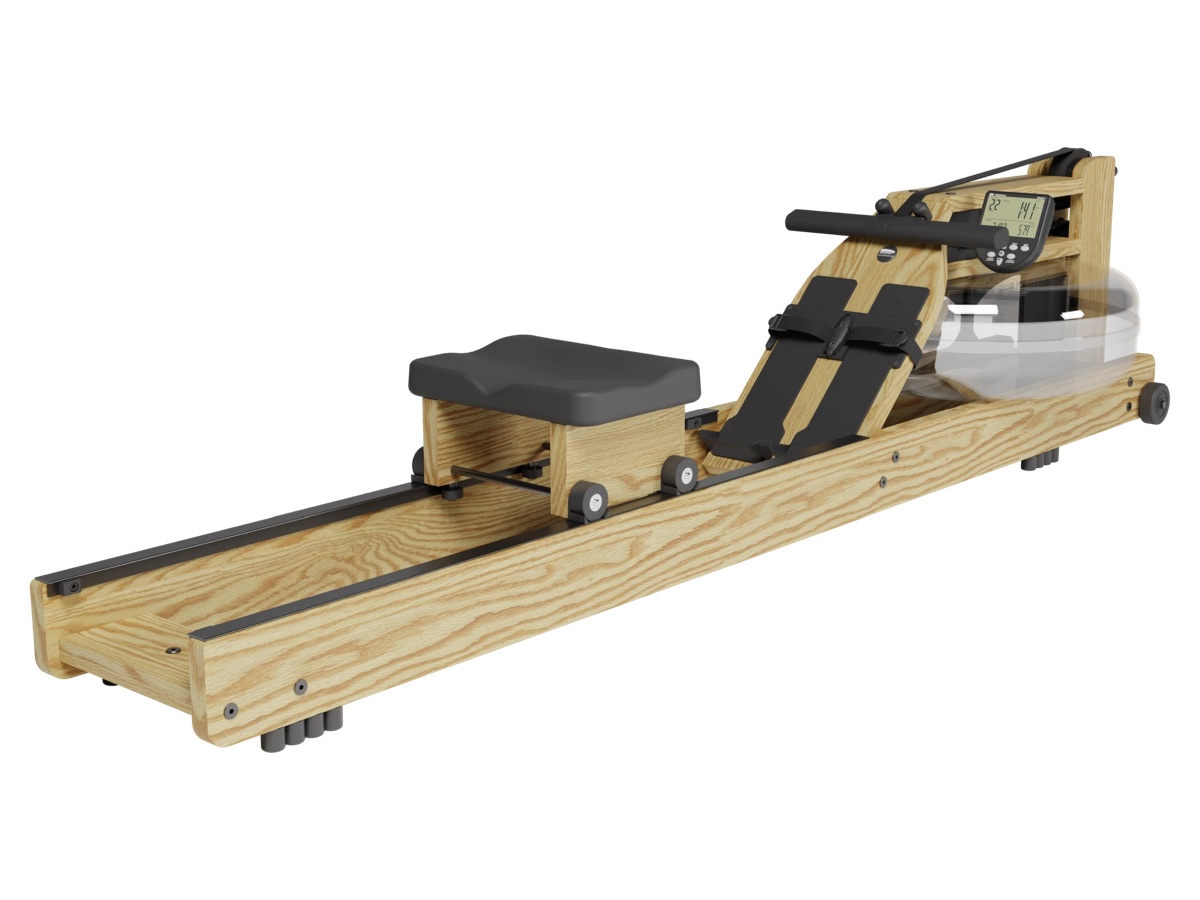
Solid hardwood frame in six finishes, made in Rhode Island
Water resistance that rises the harder you pull, with nothing to set
Stands upright full of water in the floor space of a chair
No subscription; the free WaterRower Connect app and others connect over Bluetooth
Resistance
Water (paddles in a sealed tank)
Footprint in use
82 x 22.25 in (209 x 57 cm); needs 8.5 x 3.5 ft to row
Storage
Stands upright with the water in: 17.25 x 22.25 in of floor, 81.5 in tall, on two wheels
Machine weight
63.5 lb empty, 100.5 lb filled to 17 liters
Max user weight
700 lb
Fits rowers
Inseams up to 37 in (XL rails, +$100, for 38 in and over); seat 12 in off the floor (20 in with the $150 HiRise adapter)
Monitor
S4 Bluetooth (four AA batteries): time, distance, stroke rate, split, watts, calories, zones and intervals. PowerPulley (+$300, app only) or 19.5-inch CityRow touchscreen (+$500) instead
Membership
None needed; WaterRower Connect is free, Premium optional; CityRow classes $29 a month with the touchscreen
Warranty
1 year; register within the first year for 5 years frame and 3 years parts. First owner only
What we like
Owners keep praising the look, the quiet and the sound of the water
Stands upright full of water in the floor space of a chair
Takes riders up to 700 lb, and spare parts are easy to get
Watch out for
Filling the tank with the siphon pump is slow and messy, owners say
The S4 is a plain LCD, and its watts depend on the tank volume you enter
The tank seam can start to leak after some years; a reseal kit or new tank fixes it
The Original and the Metallic come with the S4 Bluetooth monitor, and the Hybrid with the CR Bluetooth. The Lite's S4 has no Bluetooth unless you add WaterRower's $100 ComModule.
Is the WaterRower app free?
Yes. WaterRower Connect is free and covers live data, workouts, races and history. Premium, with classes and training plans, is $49.99 a year on the US App Store.
Which apps work with a WaterRower?
WaterRower Connect, CityRow, EXR, Kinomap, Asensei, Swelldone, imersU Row, Holofit, Peloton's app and Apple Fitness+ (through an Apple Watch), on any WaterRower with Bluetooth.
Does the WaterRower work with Zwift?
Not directly. Some people use third-party bridge apps that pass rowing data to Zwift, but it isn't a supported rowing mode.
How do I add Bluetooth to an old WaterRower?
If your S4 has a USB port, WaterRower's ComModule ($100) plugs into the back and adds Bluetooth.
Why are my WaterRower splits different from a Concept2?
The S4 works out watts using the tank volume you enter, and the two machines measure differently. WaterRower times usually read faster, so compare them only with your own.
What is the WaterRower PowerPulley?
A $300 option on the Original and Hybrid: a calibrated sensor in the front pulley that measures the force of each stroke and shows your power curve in the app. It has no screen of its own.